School Partnership Proposal
From Scratch to shipping real products.
- Prepared for
so this proposal is addressed to it- Subject
- LeetMotions Coding Academy,
from January 2027 - Prepared by
- Rodgers Chayuga
Founder, LeetMotions Coding Academy - Date
- October 2026
Executive summary
A complete coding programme, at no software cost to the school.
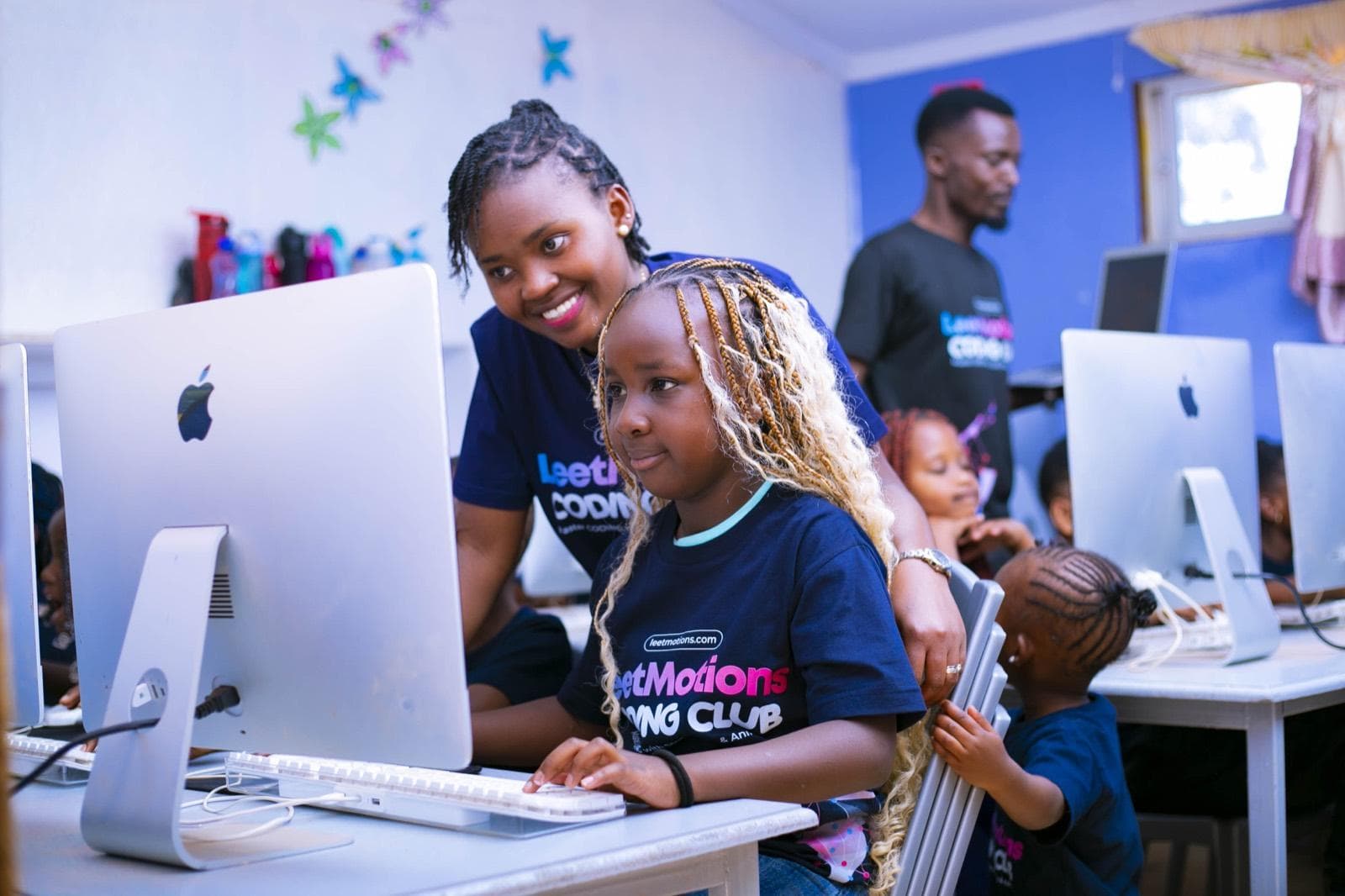
The LeetMotions Coding Academy offers your school a complete coding programme from PP2 to Grade 9, and Senior School on request, starting January 2027, with no software, curriculum or platform cost to the school.
Our learners do not stop at drag-and-drop games. They start with Scratch, move to HTML, CSS and JavaScript, and progress to the tools professional engineers use every day: React, Next.js, Node.js, SQL, React Native, Flutter, Python, Git and AI prompt engineering. Learning is project-based: each class builds one real project per term, and every session is a step towards finishing it.
A free School Portal
Every session, every learner's attendance, the topics covered, in progress and still to come, by term, month, day and session.
A free parent app
Attendance, the topic taught, homework, termly report cards and instructor comments, the same day.
LeetMotions Certificates
Awarded at the end of each level, earned through recorded attendance and an assessed project.
Optional in-app payments
Where the school wants it, parents pay by M-Pesa in the app. Or fees go through the school's own account: the school decides.
The school chooses how the Academy comes in, as part of the school system for every learner or as an optional club, how fees are paid, and whether we bring our own iMacs or use the school's computers. Fees are agreed with each school after a site visit.
We compete on value, not on being the cheapest.
We are honest about what learners can do at each stage, we report what actually happened in every session, and we teach every child as if they will one day compete for a place at the best technology companies in the world.
Why LeetMotions
A software company that teaches.
LeetMotions is a coding academy run by a software company, not a training company that learned some code. That one difference shapes everything below.
Two ways to partner
Part of the school system, or an optional club.
The school picks how the Academy comes in. The curriculum, instructors, certificates, portal and app are the same in both, and so is the school's choice of how fees are paid.
| Part of the school system | As a club | |
|---|---|---|
| What it is | Coding in the school's own programme, for every learner in the agreed grades | An optional club that learners sign up for |
| How fees are paid | Included in school fees; the school pays LeetMotions each term | Parents pay the school, which pays LeetMotions each term; or parents pay in the app, if the school prefers |
| Who attends | Every learner in the agreed grades | Enrolled learners only |
| When | Inside the timetable, one or more lessons per class each week | After school or in the school's club slot |
| Group size | Whole classes, with an assistant instructor for large classes | Small groups, by grade band |
| Best for | Schools that want coding as a selling point and a CBE strength | Schools testing demand, or with a full timetable |
| Contact with parents | Through the school only | Through the school; parents use the app to follow progress |
| School benefit | Lower cost per learner, and every child gets the skill | A share of club fees for hosting, as agreed |
| In-app payments | Not needed: fees go through the school | Optional, if the school prefers parents pay in the app |
A school can start with a club for a term and bring the Academy into the school system once parents and staff have seen the results. The records, reports and certificates carry over.
Two equipment options
Our iMacs, or your computers.
The equipment option sets the terms of the agreement: who supplies, sets up, insures and maintains the computers, and therefore the fee.
| Option 1: LeetMotions iMacs | Option 2: School computers | |
|---|---|---|
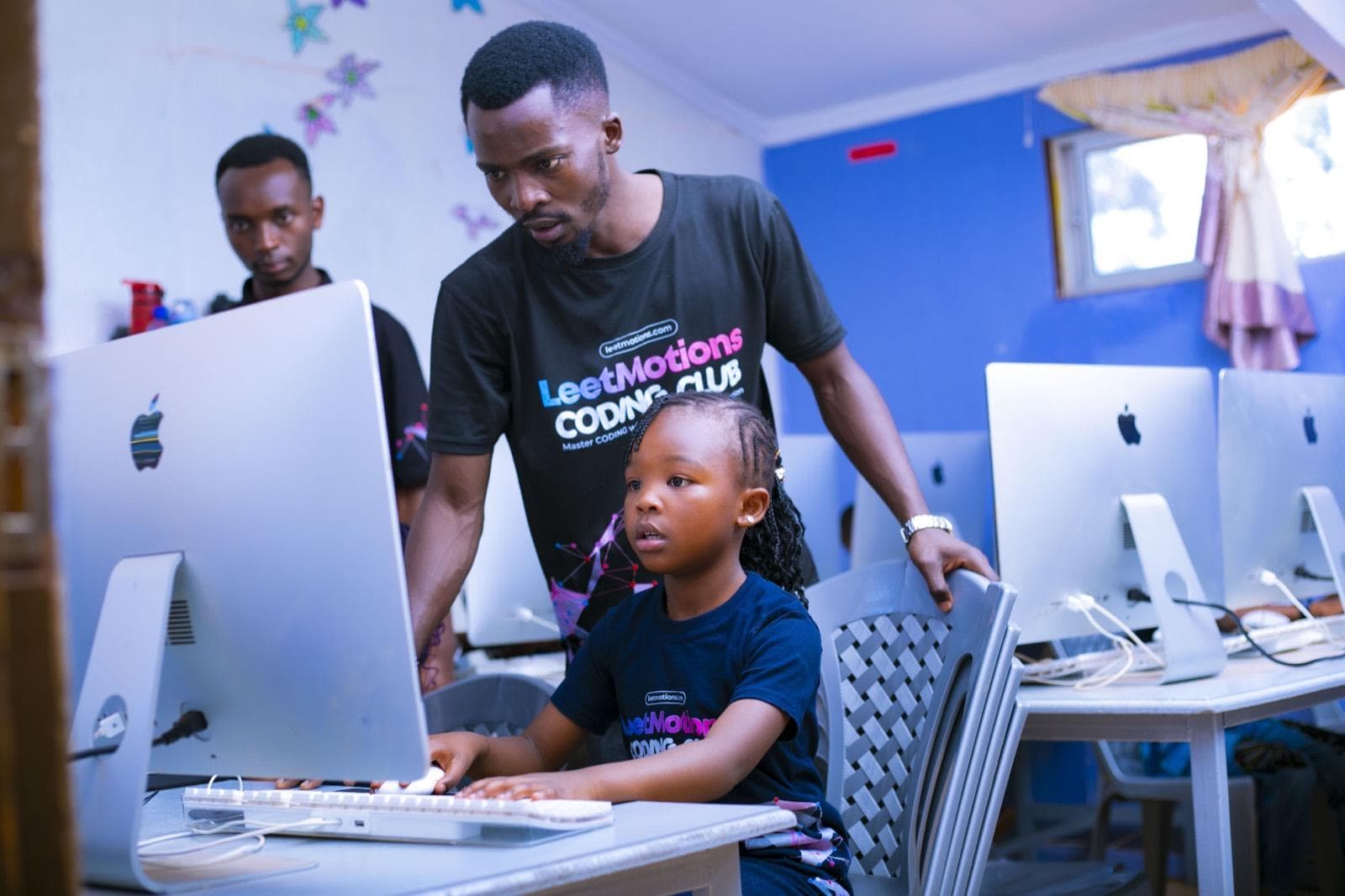
| Computers | LeetMotions brings Apple iMacs, our preferred environment | The school's lab or laptops are used |
| Why it matters | The Apple setup professional developers use: fast, reliable, and ready to build iPhone and Android apps | No equipment to move, and the school's existing investment is put to work |
| Software | Pre-installed and maintained by LeetMotions | LeetMotions installs free tools (browser, code editor, Scratch, Python); school IT grants access |
| Setup and storage | We set up and secure the machines; lockable storage is agreed with the school | Machines stay in the school's lab |
| Care and insurance | LeetMotions insures and maintains its own iMacs | The school maintains its machines; we report faults the same day |
| Minimum specification | Not applicable | 8 GB RAM, a modern browser, internet access, admin rights for installs |
| Effect on the fee | Higher, as it includes equipment, transport and insurance | Lower, as the school supplies the hardware |
With either option the school provides a room, desks and chairs, reliable power and Wi-Fi of at least 10 Mbps during sessions. If the school's machines fall short of the minimum specification, we say so at the site visit and recommend Option 1 or a mix of both.
The curriculum pathway
Every rung ends with something they built.
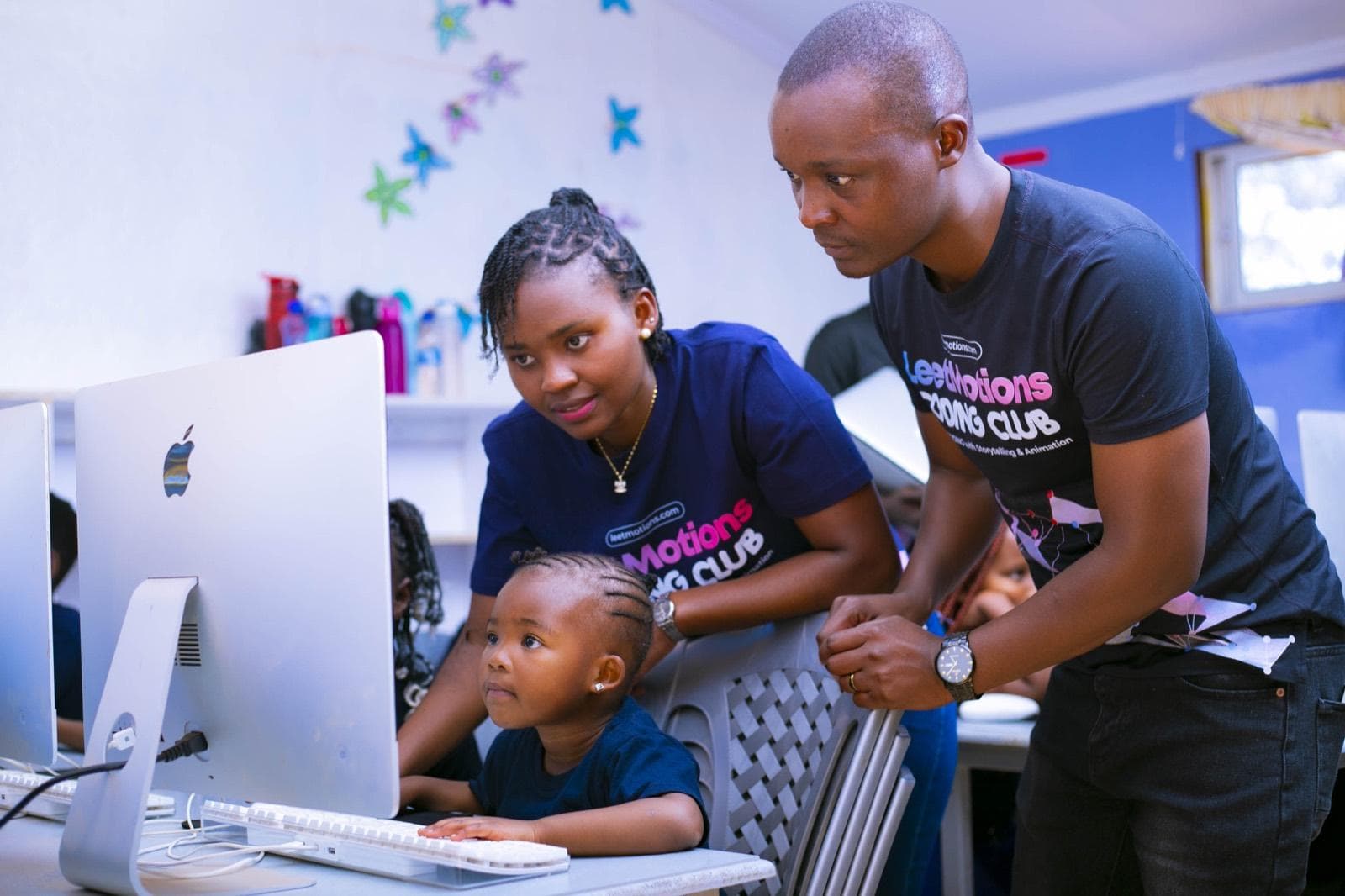
Every learner climbs the same ladder, from Scratch to shipping real products.
| Stage | Tools and languages | What learners build | Skills they leave with |
|---|---|---|---|
| 1. Foundations, PP2 to Grade 3 | Unplugged logic games, ScratchJr, Scratch | Animated stories, simple games, greeting cards | Sequencing, loops, events, debugging, mouse and keyboard confidence |
| 2. Creators, Grades 4 to 6 | Advanced Scratch, HTML, CSS, first JavaScript, typing | Multi-level games, a personal website, an interactive quiz | Variables, conditions, functions, page structure and design |
| 3. Builders, Grades 7 to 9 | JavaScript, Git and GitHub, React, Python, SQL basics, AI prompt engineering | Web apps, Python games and data projects, an AI-assisted product | Problem solving, version control, working with data, using AI responsibly to build |
| 4. Engineers, Grades 10 to 12 and advanced learners | Next.js, Node.js, SQL databases, React Native, Flutter, APIs, AI product building, deployment | Full-stack web apps and mobile apps published online | Product thinking, teamwork with Git, building and shipping like a professional team |
Three threads run through every stage
- Digital citizenship and online safety: passwords, privacy, kindness online, spotting scams and misinformation.
- Responsible AI: how AI tools work, when to trust them, and how to use them to build, not to cheat.
- Communication: every learner presents their work, explains their thinking and gives feedback to others.
The pathway supports the CBE strands of digital literacy, critical thinking, creativity and communication. It goes well beyond the computing time Junior School now has inside Pre-Technical Studies, giving learners a head start on ICT, compulsory in Senior School, and Computer Science, a STEM elective. Learners are placed by ability, not just by grade.
How we teach
One project per term, built session by session.
Every term, each class builds one real project, and every session is one step towards finishing it.
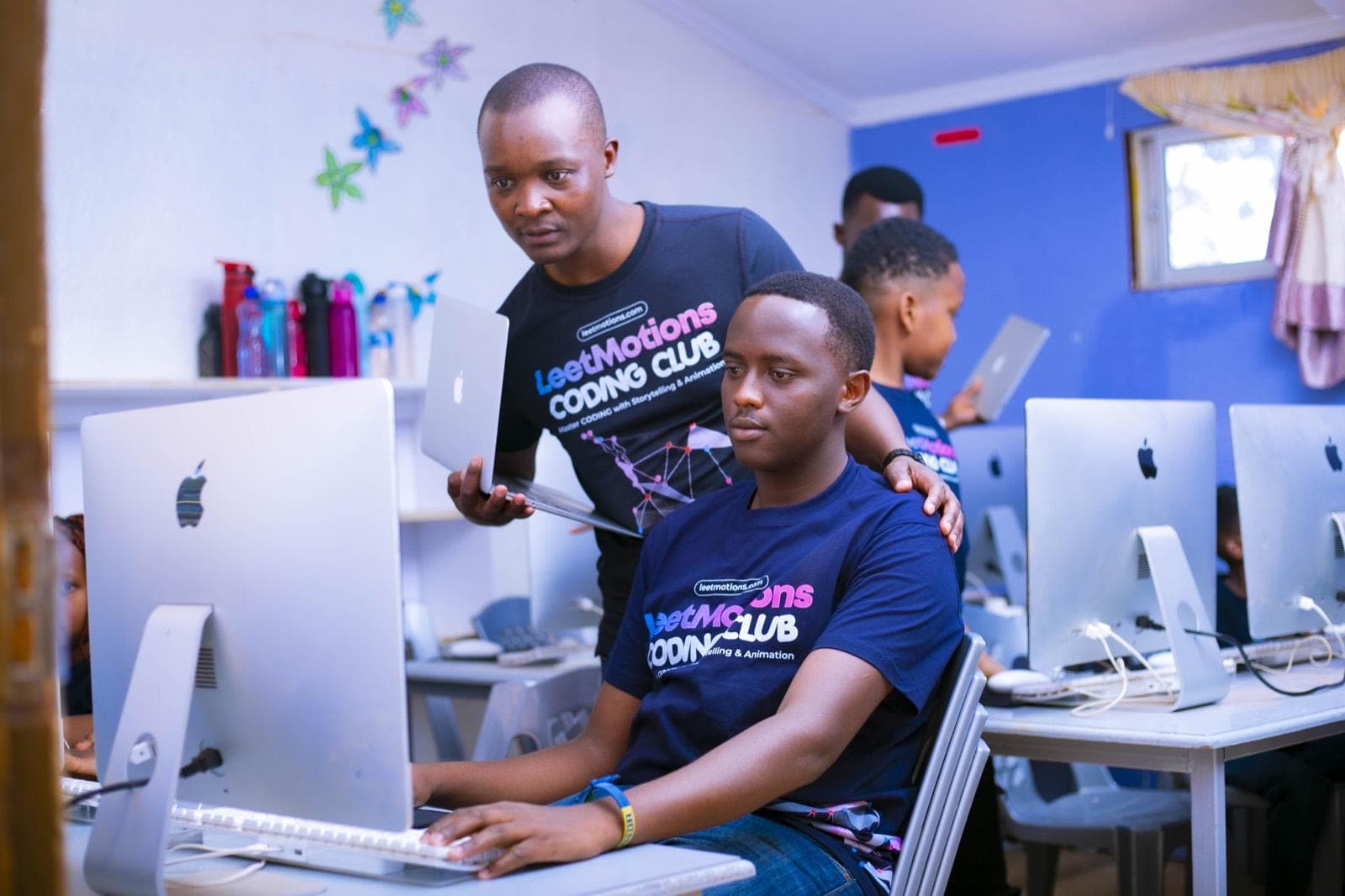
At the start of term, each class gets a single project matched to its level. We break that project into sessions, and each session's lesson, learning objective and new concept is exactly what the project needs next. Learners always know why they are learning something, because they use it the same day.
Sessions build on each other. A concept learned in week 3 is used again in week 4, so the learning curve climbs steadily, and by the last week the pieces come together into a finished project that learners present at Demo Day.
| Stage | Example project for one term |
|---|---|
| 1. Foundations | An animated story with characters, sound and a choice for the reader |
| 2. Creators | A multi-level Scratch game, or a personal website with an interactive quiz |
| 3. Builders | A React web app for a school club, or a Python game with a scoreboard |
| 4. Engineers | A full-stack or mobile app, published online for real users |
Why one project per term works
Purpose
Every lesson has a reason, so learners stay motivated all term.
A visible learning curve
The portal and app show which step each class has reached: topics covered, in progress and still to come.
Contest ready
Competitions and hackathons are projects built to a deadline, which is how our learners work every term.
Independence
After several terms of planning and finishing projects, learners can take an idea of their own and build it.
A typical 60-minute session
| Segment | Time | What happens |
|---|---|---|
| Warm-up | 10 min | A logic puzzle or game that builds teamwork |
| Project check-in | 5 min | Where the project stands, and today's step |
| Mini-lesson | 15 min | The one new concept this step needs, demonstrated live |
| Build time | 25 min | Learners add today's step to their project, test it and fix it |
| Show and share | 5 min | Learners demo progress; the topic is logged in the app |
A typical term of about 12 weeks
Our standards
- Small groups: one instructor to every 15 learners at most, with an assistant for full classes.
- Ability groups inside each grade band, so no child is bored or left behind.
- Lesson plans for every session, shared with the school in the portal.
- A named lead instructor for the school, and a trained replacement if they are ever absent.
- Online catch-up sessions if school closes unexpectedly.
Certificates and assessment
Earned, not handed out.
Every level ends with a LeetMotions Certificate, awarded only when the learner has met the attendance requirement and passed an assessed project.
| Award | When | What it shows |
|---|---|---|
| Term report card | End of every term | A CBE-style rating per skill, with instructor comments, in the app |
| LeetMotions Certificate of Completion | End of each level | The level, the tools learned and the project built, signed by LeetMotions |
| Certificate of Excellence | End of each year | Top learners and outstanding projects |
| Demo Day recognition | End of every term | Learners present their project to parents and staff |
Every learner leaves with a portfolio
From Stage 3, learners keep their projects on GitHub, the platform professional engineers use, so their work follows them to Senior School, university and their first job.
The platform
Free for every partner school, and every parent.
Every partner school gets the LeetMotions School Portal and every parent gets the app, at no cost, for as long as the partnership runs.
| Who | What they see and do |
|---|---|
| Head teacher and management | Every session held, attendance per learner and per class, topics covered, in progress and still to come, by term, month, day and session; termly report cards; instructor comments |
| Club patron or class teacher | Their learners' roll calls, homework and reports, on phone or web |
| Parents | Attendance at every session, the topic taught that day, homework, the term report card, instructor comments, schedule, payment history and balance |
| LeetMotions instructors | Roll call, session topic, homework and reports, all logged in the app during the session |
Optional in-app payments
Fees can go through the school's own account, with the school paying LeetMotions each term, so LeetMotions has no money conversation with parents. Or, where the school prefers, parents pay by M-Pesa inside the app, choose instalments, see their balance and get an instant receipt, with every payment matched to the learner and a live payment list for the school.
Nothing to install for the school. The portal runs in a browser, the parent app is on Android and iPhone, and we set up every account during onboarding.
Proof we ship
The team behind Family Pocket.
The LeetMotions team built and runs Family Pocket, a live school transport system and school management platform used by a Kenyan school every school day. Your learners are taught by the people who built it.
services
endpoints
screens
platforms
accounts
| Who | What Family Pocket does for them |
|---|---|
| Parents | Live bus tracking with arrival estimates, a notification when their child boards, arrives and leaves, attendance, homework, report cards, newsletters, teacher appointments and school fees by M-Pesa |
| Transport managers | A live view of every bus, driver, route and passenger count; alerts when a child boarded a bus but never reached the gate; fuel, maintenance and school trip records |
| Gate staff and bus minders | NFC wristband scanning on dedicated terminals, so every child in and out is recorded with the time and place |
| Teachers | Roll call in seconds on their phone, occurrence notes, homework, class diary, timetable and exam results |
| Head teachers and principals | Grade and whole-school dashboards that update the moment a teacher submits a register, plus reports and analytics |
| Kitchen | The real head count before cooking starts, and a meals menu parents can see |
| Bursar and administration | Fees and M-Pesa collection with automatic receipts, clubs, assets, SMS and school elections |
Why it matters for a coding programme
React, React Native, Next.js, Node.js, SQL and Git are the tools Family Pocket is built with. Our learners learn them from engineers who use them in production every day. Schools that like what they see can also adopt Family Pocket itself, at familypocket.io.
Holiday camps
LeetCamp puts your school on the map.
We run a LeetCamp every school holiday, and the partner school can host it and open it to children from other schools.
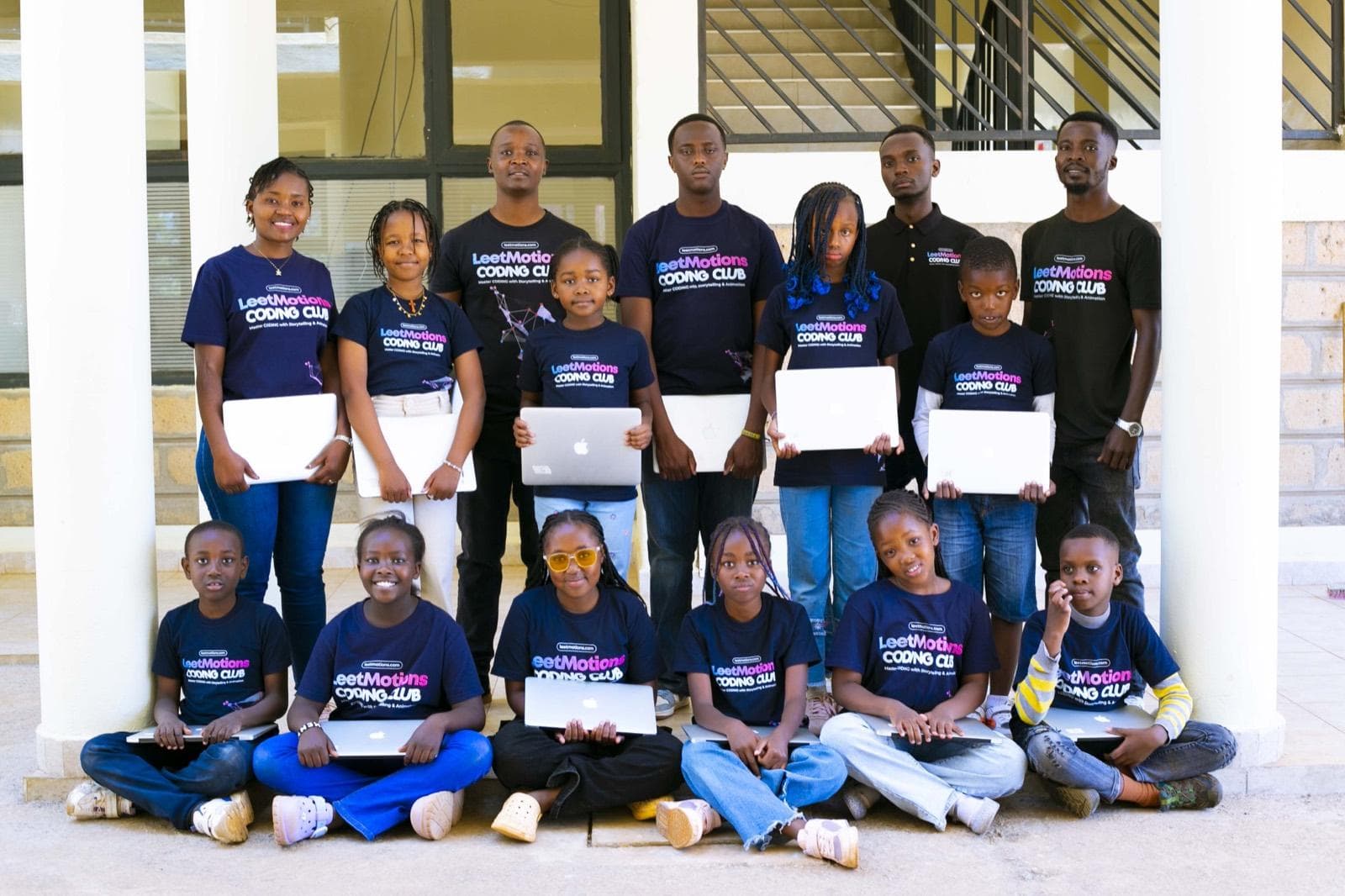
That turns the school's compound into a coding hub during the holidays. Parents from neighbouring schools walk through your gate, see your facilities and meet your team, which is one of the most natural admissions conversations a school can have.
What a LeetCamp includes
Four weeks of daily coding on weekday mornings, in small groups at every child's level; an official LeetMotions T-shirt; a practical test in the final week; a Certificate of Completion presented at an end-of-camp party where every camper demos what they built; optional transport; online booking and M-Pesa payment.
What the host school gets
Its name on every camp poster, social post and certificate; visiting families on campus and a chance to present the school to them; a share of camp income for hosting, as agreed; and its own learners kept learning through the holiday.
Competitions
We prepare learners for national and international challenges and help the school enter teams, so its name appears beside its learners' results. Challenges we target include the Kenya Science and Engineering Fair (open to Junior Schools from 2026), World Robot Olympiad Kenya, FIRST LEGO League Kenya, Technovation Girls, Africa Code Week and Code.org's Hour of AI.
Safeguarding, data and quality
Children's safety and data come first.
Every commitment below goes into the signed agreement.
Safeguarding
Every instructor holds a current Certificate of Good Conduct and completes child protection training. Instructors follow the school's safeguarding and visitor policies, wear identification and sign in at the gate. No instructor is alone with a single child.
Data protection
Learner data is handled under Kenya's Data Protection Act, 2019, used only for the programme and never sold. Each school's records sit in its own database, encrypted, with role-based access so a parent sees only their own child. Photos are used only with written parental consent.
Quality assurance
A named lead instructor and a trained replacement for every school, lesson plans and session logs visible in the portal, a review meeting with management every term, and parent feedback collected and acted on every term.
Online safety
Taught at every stage. Learner accounts on external tools are set up with school-approved, age-appropriate settings.
What the school gains
A stronger admissions story, with no extra admin.
How we compare
What sets LeetMotions apart.
Most coding offers to Kenyan schools fall into three types. LeetMotions is the only one that combines in-school, project-based teaching by engineers with a free platform that shows parents and the school every session.
| Kit and lab suppliers | Online, self-run platforms | Free volunteer clubs | LeetMotions | |
|---|---|---|---|---|
| Who teaches | School staff, after vendor training | School staff, or learners alone | Volunteers, usually a teacher | Working engineers and instructors they trained |
| How far learners go | Block coding and kits, some Arduino | Scratch to beginner web and Python | Mostly Scratch | Scratch to React, Next.js, Node.js, SQL, React Native, Flutter, Python, Git and AI |
| How learning is organised | Kit activities | Self-paced modules | Weekly activities | One real project per term, built session by session |
| What the school buys | Kits, a lab fit-out, licences | Licences per learner | Nothing, but delivery depends on volunteers | No kits, no licences, no lab fit-out |
| Parent visibility | Rarely | A login with progress | None | Free app: attendance and topic every session, homework, reports, payments |
| School visibility | Vendor reports, if any | A dashboard | None | Free portal: every session, learner and topic |
| Certificates | Participation | Varies | Online badges | A certificate per level, earned by attendance and an assessed project |
| Holiday camps the school can host | Rarely | No | No | LeetCamp every holiday, open to other schools |
| Proof the team can build | Hardware resellers | Platform vendors | Volunteers | Built and runs Family Pocket, a live school platform |
We do not compete on being cheapest. We compete on what a learner can actually build at the end of the year, and on the school and parents being able to see it.
Programme details and charges
What the school gets, and what it costs.
Amounts are agreed with each school after a site visit and written in below before the agreement is signed. Everything else in this table comes with every partnership.
| What the school gets | Offer |
|---|---|
| Fees, agreed with the school | |
| Coding & AI as part of the school system (all learners), per learner per term | |
| Coding & AI as a club (optional), per learner per term | |
| LeetMotions iMacs (Option 1), per learner per term | |
| Extra weekly sessions or an advanced track, per learner per term | |
| How it runs | |
| Sessions per week | 1 session of 60 minutes per class, more on agreement |
| Sessions per term | About 12, as per the school calendar |
| How fees are paid | Through the school's account, or by parents in the app: the school chooses |
| Computers | LeetMotions iMacs (Option 1) or the school's computers (Option 2) |
| Part of every partnership | |
| Progressive curriculum from PP2, built on one real project per term | Included |
| Qualified instructors, with a trained replacement for every school | Included |
| Software set-up and maintenance | Included |
| Termly report card for every learner | Included |
| LeetMotions Certificate for every level completed | Included |
| Demo Day for parents and staff every term | Included |
| Preparation for national and international competitions | Included |
| Coding introduction for school staff every term | Included |
| Free to the school and parents | |
| LeetMotions School Portal | Free |
| Parent app on Android and iPhone | Free |
| Hosting LeetCamp in the holidays | Free, with a hosting share for the school |
Payment is per term, in line with the school calendar. The agreement runs for one school year, renewable, with a termly review.
Getting started
Teaching in the first full week of January 2027.
A school that signs by the end of November starts teaching in the first full week of Term 1.
Dates follow the 2027 school calendar once the Ministry of Education publishes it.
Frequently asked questions
What schools usually ask us.
- Does a child need any experience?
- No. Every learner starts with a placement check and joins at the right level.
- Will coding take time from the core timetable?
- As part of the school system it uses one lesson per class per week, in a slot the school chooses. As a club it runs outside lesson time.
- Is it aligned to CBE?
- Yes. It supports the digital literacy, critical thinking, creativity and communication strands, and prepares learners for ICT and the Computer Science elective in the Senior School STEM pathway.
- Why project-based learning?
- Because learners remember what they use. Each lesson is the next step of a real project, so every concept is applied the same day, and learners finish each term with something they built and can show.
- Why iMacs?
- Apple machines are what most professional developers use, they are fast and reliable, and they can build apps for both iPhone and Android. If the school prefers its own computers, Option 2 works just as well for the curriculum.
- What if our internet goes down?
- Most early lessons work offline. We bring a backup connection for sessions that need the internet.
- What if an instructor is absent?
- A trained replacement covers the session. If a session is ever missed, it is made up.
- How do parents know what their child is learning?
- The free app shows attendance, the topic of every session, homework, report cards and instructor comments, the same day.
- Do learners use AI to cheat?
- No. We teach responsible AI: how to use it to plan, debug and build, and how to check its work. Assessments are practical and done in front of the instructor.
- What does the school have to provide?
- A room, desks, power and Wi-Fi, plus computers if the school chooses Option 2.
- Can we start small?
- Yes. Many schools start with a club or a few grades, then expand.
- Can parents pay the school instead of LeetMotions?
- Yes, and many schools prefer it. Parents pay the school, the school pays LeetMotions each term as agreed, and we have no money conversation with parents.
- Can learners from other schools join our holiday camps?
- Yes, and we encourage it. That is one of the main benefits of hosting LeetCamp.
- Who owns the learners' projects?
- The learners do. Their work stays in their own portfolio.
Next steps
Three steps to January.
Expression of interest
| School | |
|---|---|
| Contact person and role | |
| Phone and email | |
| Number of learners, by grade | |
| Preferred model | Part of the school system / As a club |
| Preferred equipment | Option 1 (LeetMotions iMacs) / Option 2 (school computers) |
| Interested in hosting LeetCamp | Yes / No |
| In-app payments | Yes / No / Not sure |
| Preferred date for a site visit | |
| Signature and school stamp |
“Coding is the new literacy. Let's give every child the chance to speak it.”
Rodgers Chayuga, Founder, LeetMotions